Migrating billing systems sits at the intersection of critical importance and significant risk. Errors can lead to duplicate charges, lost subscription records, or broken revenue reporting - concerns that keep finance teams anxious and engineers verifying spreadsheets at odd hours.
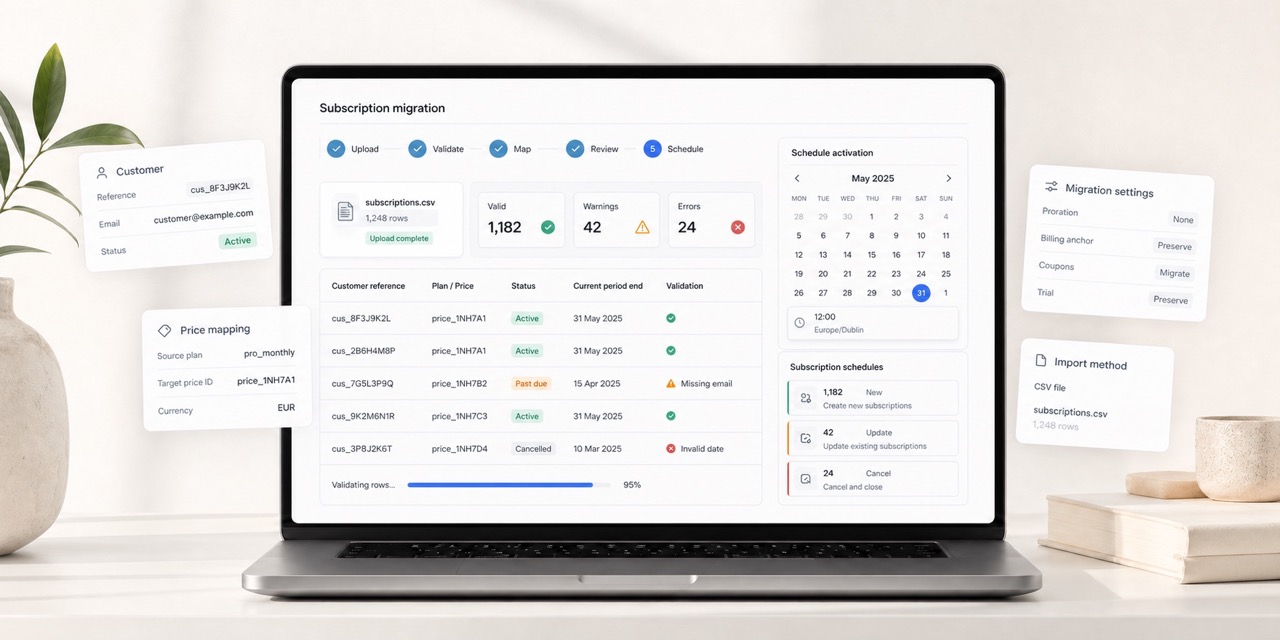
Stripe's Billing migration toolkit provides a no-code dashboard solution. Rather than custom scripts or API tooling, teams upload a CSV containing existing subscriptions to create them in Stripe, mirroring their current configuration.
However, some implementation details require careful attention to avoid accidental double-billing.
Prerequisites: customers and prices must already exist
Before migrating subscriptions, customers must already exist in Stripe with valid payment methods attached. The migration toolkit creates subscriptions only, not customer records.
This typically happens through two paths:
- Existing Stripe customers: Teams already using Stripe for payments but not subscriptions likely have customers present.
- PAN data import: Stripe can import payment method tokens from previous processors through a separate process initiated in advance.
Each CSV row references a customer ID that must already exist; missing IDs cause validation failures. Similarly, products and prices must be defined beforehand.
To begin: navigate to Subscriptions, select the Migrations tab, then click "+ Start new migration."
The CSV format
After initiating a new migration, a wizard requests migration type details. Stripe provides template CSVs for common scenarios:
- Basic: Standard subscriptions with quantity, taxes, discounts, trials
- Multi-price items: Subscriptions including multiple products
- Ad-hoc pricing: Custom pricing applied to existing products
The most critical fields are:
| Field | Required | Description |
|---|---|---|
customer | Yes | The Stripe customer ID (must already exist) |
price or items.0.price | Yes | The Stripe price ID for the subscription |
start_date | Yes | When the subscription activates in Stripe |
backdate_start_date | No | For backdating subscription history |
proration_behavior | No | Controls whether prorated charges are created |
billing_cycle_anchor | No | Determines the next billing date |
Most migration complications stem from how these fields interact, particularly date fields and proration settings.
The critical timing requirement
The start_date field determines when subscriptions activate in Stripe. Stripe enforces minimum lead time between upload and activation:
- Live mode: approximately 24 hours
- Test mode: typically shorter, around one hour
This window provides safety. Between upload and activation, review imported subscriptions in the dashboard. Verify pricing, quantities, and customer assignments look accurate. If issues arise, cancel the entire migration before charges process.
Setting start_date far in the future provides more review time. Setting it to rush activation leaves minimal reaction time if problems surface. There's rarely justification for accelerating this process, so allow adequate review periods.
Validation, then review
Upon CSV upload, Stripe validates the entire file before creating any subscriptions. This process catches missing or malformed fields, invalid customer or price IDs, start dates that are too soon, and invalid field combinations.
Stripe displays all validation errors simultaneously rather than failing row-by-row, enabling single-pass corrections. When errors occur, Stripe provides a downloadable CSV explaining line-by-line failures for each entry.
After correcting errors, upload the updated CSV to the same migration. A UI consideration: clicking "Start again" uploads the CSV to the current migration attempt, while "Fix errors" suggests creating a new migration. Generally, using "Start again" keeps migration history cleaner under one attempt.
Once validation succeeds, subscriptions are created in scheduled state - they exist in Stripe but aren't active yet. Validation time depends on record count; test migrations under 100 subscriptions typically validate instantly.
After successful validation, a "View subscription schedules" button appears, linking to the scheduled subscriptions list. Before schedules activate, review subscriptions in the dashboard. Cancel any that don't look correct, either individually or as batches if the start date is distant.
Backdating: the most common source of confusion
If a customer originally subscribed in January 2023 and migration occurs in 2026, reflecting that history in Stripe is likely desirable. This is where backdate_start_date applies - and it's the field most likely to create confusion, especially when considered alongside start_date.
The critical distinction:
start_date- When the subscription becomes active in Stripe and billing commences. Must be in the future.backdate_start_date- The historical date recorded as the original subscription start. Can be in the past.
customer,items.0.price,start_date,backdate_start_date
cus_ABC123,price_XYZ789,1705753518,1658179441
The subscription activates February 15, 2026, but Stripe records the customer as subscribed since January 2023. This affects reporting, analytics, and customer dashboard visibility.
Do not set start_date to a past date - Stripe rejects this during validation.
Proration: the danger zone
This is where migrations most frequently fail, resulting in unexpected customer charges.
By default, Stripe's proration_behavior is set to create_prorations. If Stripe identifies a mismatch between billing cycle anchor and start date, it generates prorated invoices. During migration, this typically means billing customers again for periods they've already paid elsewhere.
In nearly all migration scenarios, explicitly disable this:
customer,items.0.price,start_date,backdate_start_date,proration_behavior
cus_ABC123,price_XYZ789,1705753518,1658179441,none
Setting proration_behavior to none signals: "This customer is paid through their next billing date; just begin normal billing from then." If remembering only one point from this article, prioritize this principle.
Billing cycle anchors: why they matter
The billing_cycle_anchor determines when future invoices generate. Misalignment with existing billing dates may cause Stripe to "correct" the cycle, triggering prorations or confusing initial invoices.
During migration, the goal typically involves mirroring existing billing cadence precisely, ensuring customers experience no billing behavior changes post-migration.
For example, with a subscription where a customer signed up January 1st, 2026, should be billed on the first of each month, but migration occurs February 10th:
| Field | Detail |
|---|---|
start_date | February 10th timestamp |
backdate_start_date | January 1st, 2026 timestamp |
billing_cycle_anchor | March 1st, 2026 timestamp |
proration_behavior | none |
Inspecting this schedule in the Dashboard shows the first phase beginning February 10th, with the next billing event on March 1st - preventing double-billing.
A typical migration workflow
- Export from current system: customer references, original start dates, plans, quantities.
- Ensure Stripe customer presence: either already existing or via PAN import.
- Map data carefully: match customers to Stripe IDs and plans to price IDs.
- Set dates deliberately:
start_datecomfortably ahead,backdate_start_datereflecting original subscription start,billing_cycle_anchoraligned with existing billing. - Disable proration: set
proration_behaviortononeunless explicitly wanting charges. - Upload and validate: resolve all errors before proceeding.
- Review in dashboard: spot-check subscriptions while still scheduled.
- Monitor activation: observe the first billing cycle for failures or unexpected invoices.
Common mistakes to avoid
- Setting
start_datetoo soon: provide breathing room. No advantage exists in rushing this process. - Forgetting to disable proration: this single oversight causes most accidental charges.
- Confusing
start_dateandbackdate_start_date: one addresses billing timing, the other addresses historical records. - Missing payment methods: subscriptions can exist without them, but invoice processing will fail.
- Typos in price IDs: even single-character errors cause row failures.
Is the migration toolkit worth using?
For minimal subscriptions - a few dozen at most - manual creation or API calls may be equally efficient.
For larger volumes, the migration toolkit saves considerable time. Fender notably "migrated 70,000 subscribers in a few hours" using this solution. The upfront validation step alone, identifying all issues rather than discovering them through individual API calls, justifies the learning investment.
Success requires understanding critical fields - start_date, backdate_start_date, billing_cycle_anchor, and proration_behavior - and leveraging the review window appropriately. Executed properly, subscriptions migrate with confidence, without surprising customers or finance teams.